Application Management
An application is the runtime boundary in Hyac. It contains functions, dependencies, environment variables, a database account, object storage, and a dedicated runtime container. In daily use, create separate applications for separate business systems, projects, or isolation requirements.
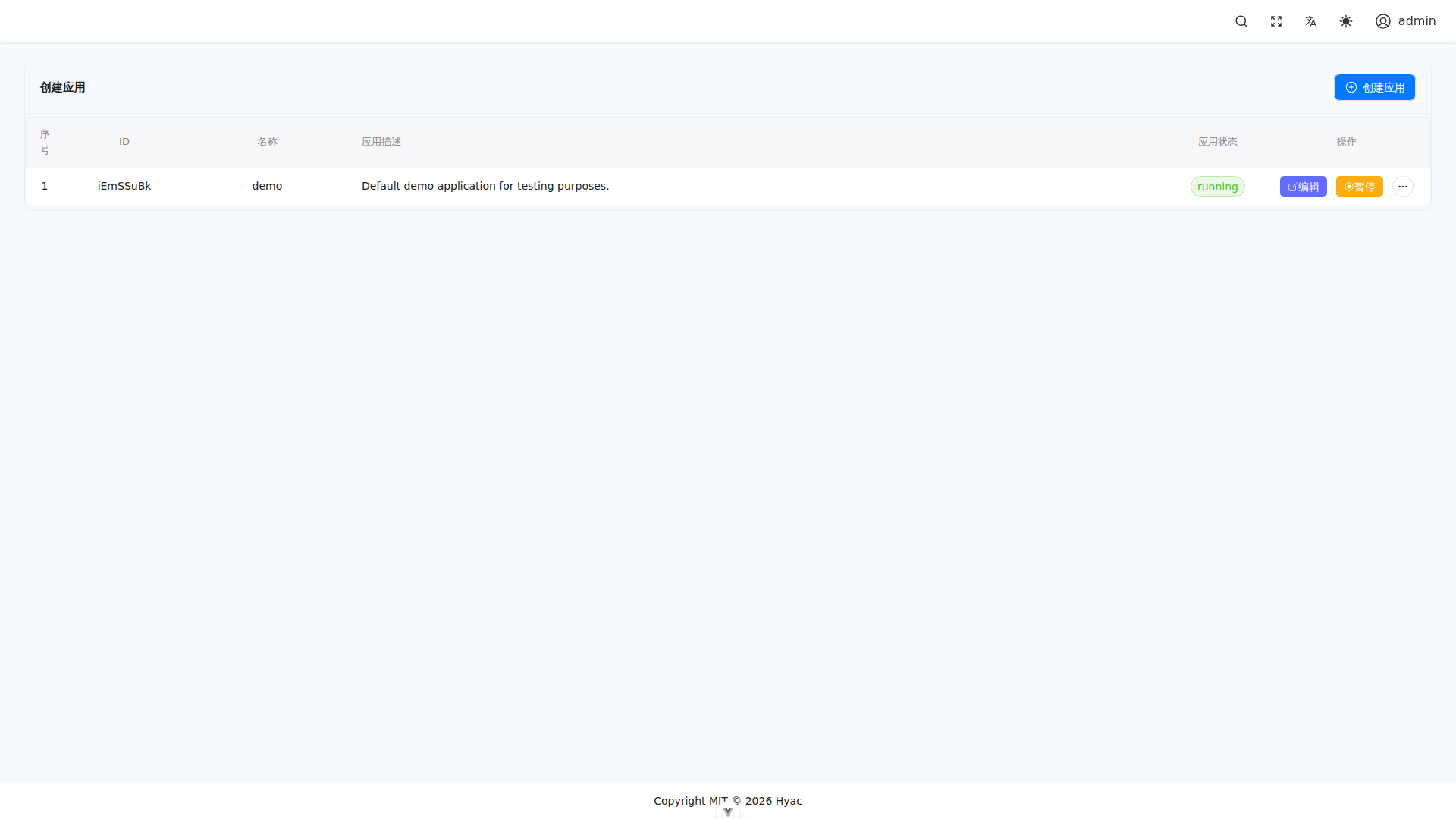
Application Management is used to create applications, view application IDs, start or pause applications, and enter the application workspace. In the screenshot, iEmSSuBk is the application ID in the test environment.
Application and Domain
Each application has an app_id. After deployment, the function endpoint domain is built from the application ID and the main domain:
https://<app_id>.<DOMAIN_NAME>/<function_id>
Example:
https://demo.example.com/hello
Here demo is the application ID, example.com is DOMAIN_NAME, and hello is the function ID.
Create an Application
Open "Application Management" and create a new application. Hyac prepares isolated runtime resources for it:
- A separate function set.
- A separate application database.
- A separate RustFS/S3-compatible object storage bucket.
- A separate runtime container named
hyac-app-runtime-<lowercase_app_id>.
After creation, confirm that:
- The application ID is easy to recognize and suitable as a subdomain prefix.
- The current user has access to the application.
- Required environment variables, dependencies, and CORS settings are configured.
Select the Current Application
Functions, database, object storage, dashboard, and logs all depend on the current application. After switching applications, those pages show data from the newly selected application.
If a page looks empty, first check the selected application. Many "function not found", "empty storage", and "no logs" issues are caused by an unexpected application context.
Runtime Container
Hyac does not keep a runtime container permanently running for every application. When an application receives its first function request, Server creates a Docker container:
hyac-app-runtime-<lowercase_app_id>
The container loads:
- The application's function code.
- The application's common functions.
- The application's environment variables.
- The application's Python dependencies.
- The application's database and object storage context.
When Server shuts down or the application is stopped, the runtime container is cleaned up. For debugging, use Docker logs to inspect the real runtime output.
CORS and External Calls
If a function is called directly from a browser, configure CORS at the application level. The setting affects all functions under the current application.
Recommendations:
- For internal systems, allow only explicit business domains.
- For local testing, temporarily relax origins if needed.
- Do not keep overly broad CORS settings in production.
Application Storage
Each application has its own object storage space. Function code should use ctx.cloud.storage() to access the current application's bucket, and the Object Storage page shows the same files. The legacy ctx.s3 entry remains compatible.
This prevents accidental reads or writes across applications.
FAQ
The application domain does not open
Check:
DOMAIN_NAMEis correct.- DNS includes wildcard resolution for
*.<DOMAIN_NAME>. - Traefik is listening on
80and443.
Production uses docker-compose.yml and ACME certificates. Development should use .env.dev, docker-compose.dev.yml, and local certificates for *.localhost.
The first function call returns 502
This usually means the runtime container failed to start or failed its health check. Check:
docker logs -f hyac_server
docker logs -f hyac-app-runtime-<lowercase_app_id>