Storage Access
Object storage manages files for the current application. Hyac uses RustFS as the default S3-compatible storage service, but users normally do not need to handle RustFS access keys in the console or function code.
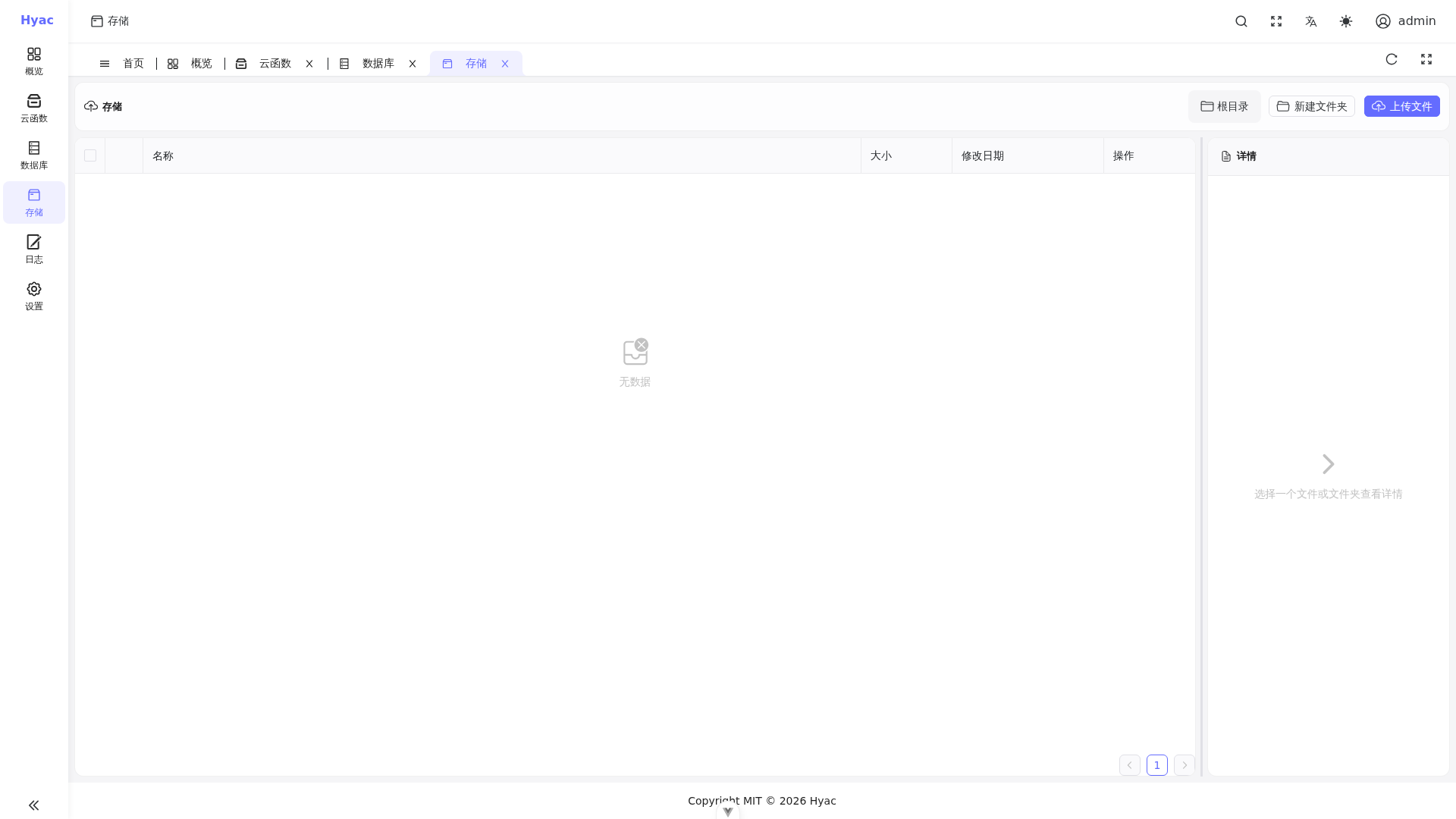
The Object Storage page displays files in the current application's bucket. Console upload/download/preview operations and function ctx.cloud.storage() calls use the same application storage. The legacy ctx.s3 entry remains compatible.
File Management in Console
Open "Object Storage" to view the bucket for the current application.
Common operations:
- Browse files and folders.
- Upload files.
- Download files.
- Delete one or more files.
- Create and delete folders.
- Preview images, audio, video, and JSON files.
If the page is empty, first confirm that the selected application is correct.
Path Rules
Object storage uses object paths, not real directories. The console presents path prefixes as folders.
Examples:
images/logo.png
exports/report.json
tmp/upload.csv
Organize files by business category instead of putting everything at the root.
Read Files in Functions
Functions should use ctx.cloud.storage() to access the current application's object storage. get() returns None when the read fails or the object does not exist, so handle it explicitly.
async def handler(ctx, request):
    storage = ctx.cloud.storage()
    data = await storage.get("demo/hello.txt")
    if data is None:
        return {"ok": False, "message": "file not found or read failed"}

    return {"ok": True, "content": data.decode("utf-8")}
Write Files in Functions
async def handler(ctx, request):
    storage = ctx.cloud.storage()
    ok = await storage.put("demo/hello.txt", b"Hello from Hyac")
    if not ok:
        return {"ok": False, "message": "write failed"}

    return {"ok": True}
Common Scenarios
Save a Generated File
import json

async def handler(ctx, request):
    payload = {"status": "ok"}
    storage = ctx.cloud.storage()
    ok = await storage.put(
        "exports/result.json",
        json.dumps(payload, ensure_ascii=False).encode("utf-8")
    )
    if not ok:
        return {"saved": False, "message": "write failed"}

    return {"saved": True}
Read Uploaded Configuration
import json

async def handler(ctx, request):
    storage = ctx.cloud.storage()
    raw = await storage.get("config/settings.json")
    if raw is None:
        return {"error": "settings.json not found"}

    settings = json.loads(raw.decode("utf-8"))
    return {"settings": settings}
Permissions and Isolation
Object storage is isolated by application. A function should only access its own application's bucket by default.
ctx.s3 is a compatibility entry. New functions should use ctx.cloud.storage(). put() returns False when the write fails, and get() returns None when the read fails or the object does not exist.
Do not hard-code global S3 credentials in function code. If a function needs to access external object storage, store external credentials in environment variables and keep their permissions limited.
FAQ
Preview fails
Confirm whether the file type supports preview. The console usually supports images, video, audio, and JSON. Other files can be downloaded.
A function cannot read an uploaded file
Check that the path matches exactly. Object paths are prefix-based; demo/a.txt and a.txt are different objects.
Files cannot be accessed externally
Download links are generated by the backend. External access depends on domain, Traefik, RustFS, and signed URL configuration. In production, use https://oss.<DOMAIN_NAME>.