User Settings
User Settings manages account, security, and system-level preferences. Visible options may vary by deployment version and permissions.
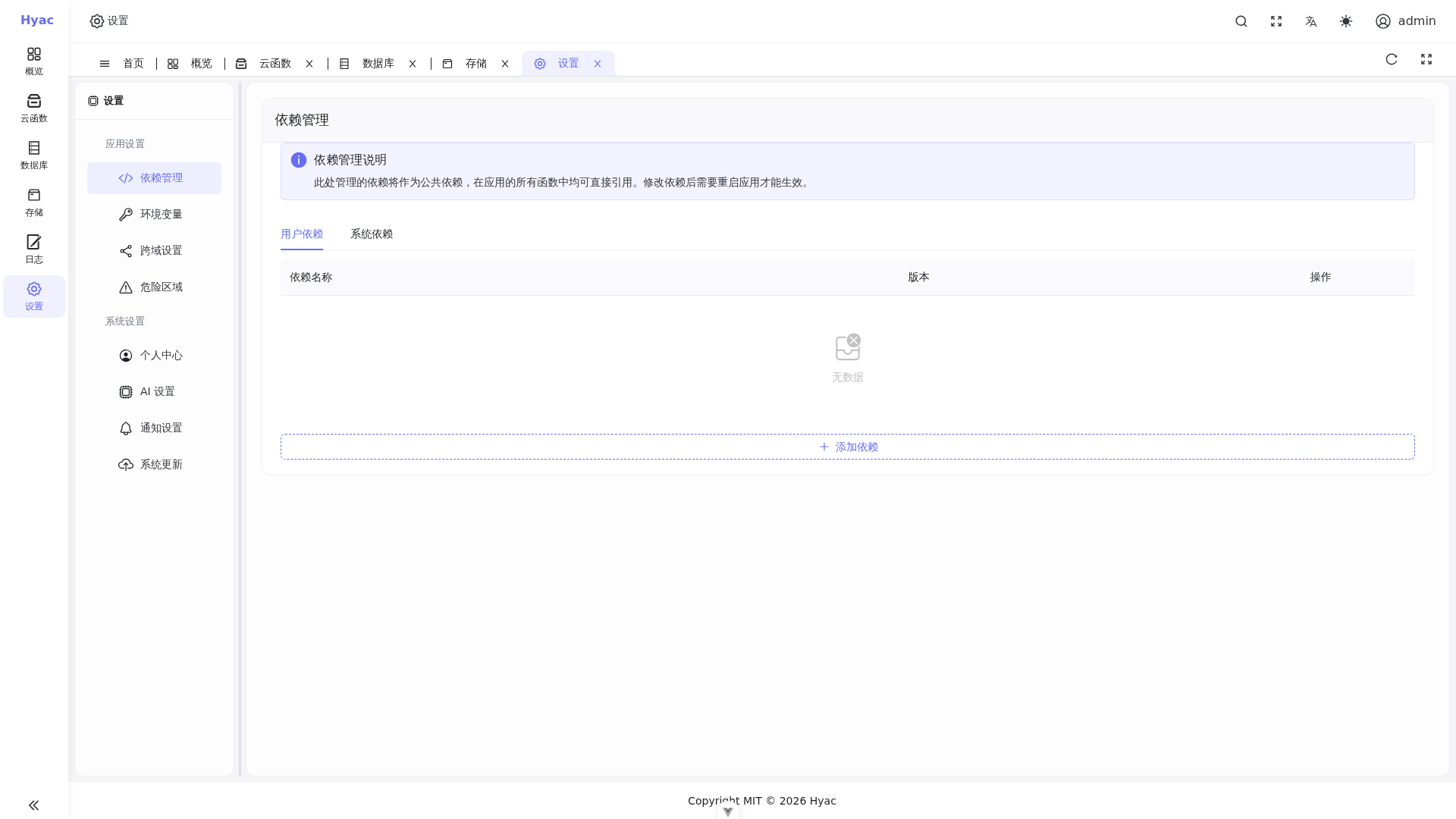
The Settings page includes dependency management, environment variables, CORS, danger zone, profile, AI settings, notification settings, and system updates. Visible sections may vary by permissions and version.
Login Account
After the first deployment, the default administrator account comes from environment variables:
DEFAULT_ADMIN_USER
DEFAULT_ADMIN_PASSWORD
The example environment uses:
admin / admin123
Change the default password immediately after the first production login and store the new administrator credentials securely.
Password and Security
Recommendations:
- Do not keep the default password in production.
- Give administrator access only to people who maintain the platform.
- Before rotating sensitive values such as
SECRET_KEY, evaluate the impact on existing login sessions and tokens. - Do not commit
.envfiles to public repositories.
Application Permissions
Applications, functions, databases, and object storage are managed around application ownership. Users can only see applications they have access to.
If a user cannot see an application, check:
- The user is signed in with the correct account.
- The application includes that user.
- The current page selected the expected application.
System Configuration
Deployment-level configuration mainly comes from .env, .env.dev, and Docker Compose.
Common settings:
DOMAIN_NAME: controlsconsole,server,oss, and application subdomains.EMAIL_ADDRESS: ACME certificate email for production.S3_ACCESS_KEY/S3_SECRET_KEY: initial RustFS credentials.SECRET_KEY: key for JWT and other security features.DEMO_MODE: demo mode switch.LSP_MODE: language service mode for the online editor.
After changing deployment-level environment variables, restart the related containers.
Development and Production
Production uses:
docker compose up -d
Development should use:
docker compose --env-file .env.dev -f docker-compose.dev.yml up -d
The development environment uses localhost and local certificates by default to avoid public certificate rate limits. Production should use a real domain and docker-compose.yml.
Runtime Troubleshooting
User settings and system configuration issues often appear as login failures, application domain failures, object storage errors, or runtime startup failures.
Useful checks:
docker compose --env-file .env.dev -f docker-compose.dev.yml ps
docker logs -f hyac_server
docker logs -f hyac_web
docker logs -f hyac_lsp_sidecar
docker logs -f hyac-app-runtime-<lowercase_app_id>
For production, replace --env-file .env.dev -f docker-compose.dev.yml with the production Compose configuration.