Logs
The Logs page shows live output from the current application's runtime container. It is useful for debugging function execution, environment refreshes, dependency loading, LSP connections, and runtime exceptions.
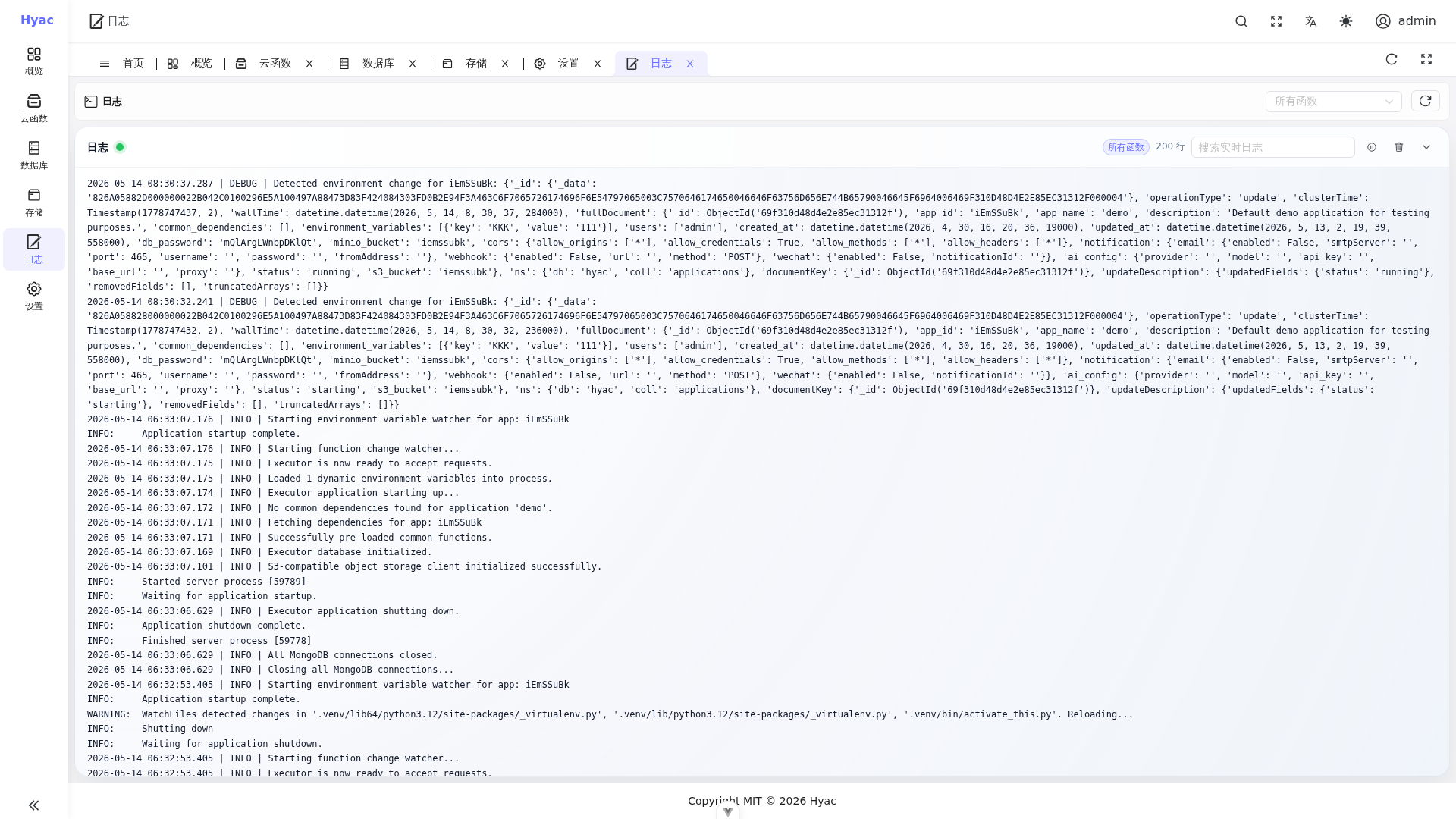
Log Source
Hyac live logs come from the application runtime container's stdout/stderr. The container name usually follows:
hyac-app-runtime-<lowercase_app_id>
This means the Logs page displays output from the real function execution process, not just frontend cache.
Page Layout
The Logs page includes:
- Function filter: view all functions or focus on one function.
- Connection status: shows whether the live log stream is connected.
- Log count: shows the retained number of log lines.
- Search input: searches the currently displayed log content.
- Action buttons: refresh, pause, clear, or control live log display.
Output Logs from Functions
Use ctx.cloud.logger() in function code. The legacy ctx.logger entry remains compatible:
async def handler(ctx, request):
    logger = ctx.cloud.logger()
    logger.info("start handling request")
    return {"ok": True}
Standard output is also visible because the live stream reads Docker runtime output.
Relationship with Function Page Logs
The log panel in Function Management is better for writing and testing a single function. The standalone Logs page is better for observing the whole application continuously.
If you are debugging one function, filter by that function on the Logs page or use the function detail log panel.
Container-Level Checks
If the Logs page cannot connect or has no output, inspect the runtime container directly:
docker logs -f hyac-app-runtime-<lowercase_app_id>
In development, also check Server and LSP sidecar logs:
docker logs -f hyac_server
docker logs -f hyac_lsp_sidecar
FAQ
The page shows live connection, but no new logs
Confirm that the function is actually invoked. Live logs only show new output produced by the runtime container.
Logs contain many environment change messages
This usually means application configuration was updated and the runtime received MongoDB Change Stream events. If function execution is normal, no action is usually required.
A function errors but the HTTP response is still 200
Hyac business errors may be returned as JSON. Check both the response body and the log stack trace.